Real estate listing video maker
Choose your property photos and type the price and details. You get an MP4 video for Reels, TikTok, YouTube or a listing site. The video is made on your own device; your photos are never uploaded.
You must have the right to use the music.
How to use it
- Choose your property photos under "Photos" (up to 30). The video follows the order you choose.
- Fill in "Title", "Listing type", "Price", "Rooms", "Size (m²)", "Location", "Phone" and "Name or office". Fields you leave empty are not shown. To try it, press "Use sample details".
- Pick the "Size", "Time per photo", "Info band", "Color" and "Photo fit".
- Optionally switch the "Opening card at the start" and "Contact card at the end" on or off, and add your own music under "Music".
- Press "Preview", then "Make the video", then "Download the video".
What it is for
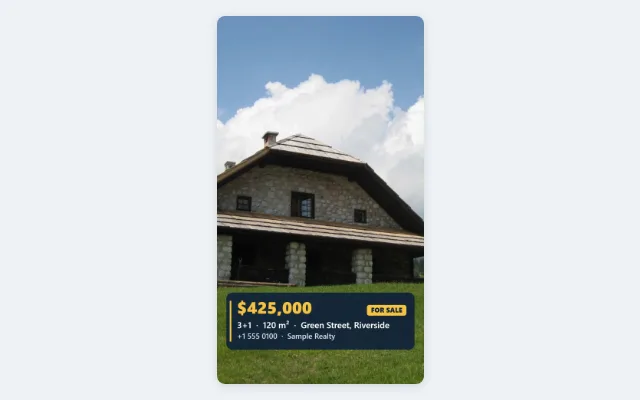
For estate agents and for owners who sell or rent their own home. Price, rooms, size, location and phone are shown in a band over the photos; there is an opening card with the title and a contact card at the end. No video editing skills are needed.
Limits and tips
- Up to 30 photos are used; extra photos are left out and the tool says so.
- Each photo shows for 2, 3, 4 or 5 seconds. The opening and contact cards last 3 seconds each.
- Output sizes: vertical 1080×1920, square 1080×1080, landscape 1920×1080, at 30 frames per second.
- "Fill the screen" crops the edges of the photo. "Show the whole photo" keeps the full photo and fills the empty edges with a blur.
- Photos longer than 2160 pixels on the long side are scaled down to save memory.
- If you type only a number in "Size", "m²" is added. To show another unit, type it yourself (for example "1,290 sq ft"); the text is shown as you type it.
- Music shorter than the video loops and fades out at the end. You must have the right to use the music.
- You get an MP4 if your browser supports it. Otherwise you get a WebM recorded in real time, so keep the tab open.
Privacy
Your photos, the details you type and your music are never uploaded; the video is made inside your browser. Everything is gone when you close the page.
Frequently asked questions
Is it free? Do I need an account?
It is free and there is no account. We add no logo or watermark to the video.
Are my photos uploaded anywhere?
No. The video is made inside your browser, on your own computer or phone. Everything is gone when you close the page.
What text is shown in the video?
The price, rooms, size, location and phone number are shown above or below the photos. There is an opening card with the title and a contact card at the end. Fields you leave empty are not shown.
Which file do I get?
MP4 if your browser supports it. Otherwise WebM; in that case the video is recorded in real time, so keep the tab open.
Can I add music?
Yes, you can add your own music file. It is cut to the video length and fades out at the end.
How do I make a real estate video from photos?
Choose the photos, type the price and details, pick the size and press "Make the video".
How many photos can I use, and how long is the video?
Up to 30 photos. Each one shows for the time you pick (2–5 seconds); the opening and contact cards add 3 seconds each.
Which size is right for Instagram Reels?
Pick "Vertical 9:16 (Reels, TikTok, Shorts)"; the video comes out at 1080×1920.
Do I have to show the price or phone number?
No. Fields you leave empty are not shown. With "Listing type: Do not show", the "FOR SALE" or "FOR RENT" label is left out as well.
Can I add my logo?
There is no logo field. The name you type in "Name or office" is shown as text on the contact card.
Is the video made by AI?
No. Your photos are arranged in order with slow zooms and fades; no AI is used.
Related tools
- Listing description writer — description, title and social post for the same listing.
- Brighten photos and fix color — fix dark room photos before making the video.
- Day to dusk photo — give an exterior photo a sunset look.
- Guide: How to make a real estate listing video from photos
Last updated: