White background for product photos
AI removes the background of your product photo. You get a transparent PNG or a JPEG on white. It runs on your own device; your photos are never uploaded.
The first time, the AI model is downloaded once (~98 MB). It is then kept in your browser. One photo takes ~10 sec on a computer, longer on a phone.
How to use it
- Choose one or more photos under "Photos".
- Pick the "Output size": "Same as the photo", "1200×1800 vertical", "1000×1000 square" or "2000×2000 square". For the fixed sizes, set the "Margin".
- Press "Remove background". The first time, the AI model is downloaded once (~98 MB).
- Check the result with "Preview" set to "White background" or "Transparent"; download the "PNG (transparent)" or "JPEG (white)" file of each photo from the list.
- To get everything at once, press "Download all as ZIP".
What it is for
For people who sell online: the background of the product photo is removed and the product is centered on white. The transparent PNG is for placing a product on a banner, catalog page or slide. You can process many photos in one go and download them as one ZIP file.
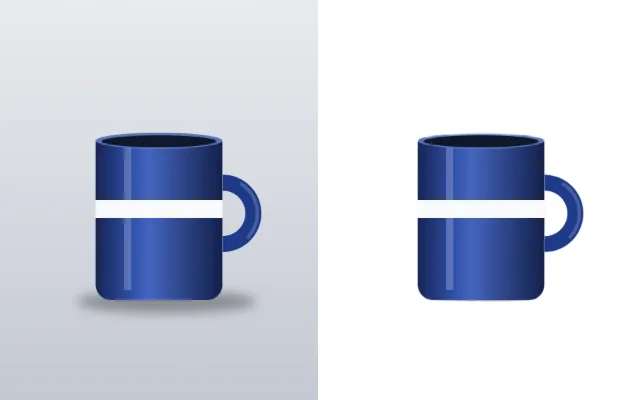 BeforeAfter
Limits and tips
- The model looks at the photo at 512×512. Fine hair, lace or glass can get soft edges; results are good when the product stands out from the background.
- Photos longer than 4096 pixels on the long side are reduced to that size.
- With "Same as the photo", the output has the same size as the photo. With the fixed sizes, the product is centered; the "Margin" goes from 0% to 30% and starts at 8%.
- The JPEG is saved at quality 0.92 on pure white (#ffffff).
- You can pick up to 20 photos at a time; they are processed one after another. One photo takes about 10 seconds on a computer.
- The model file is 98 MB; it downloads once and is then kept in your browser.
- If no clear object is found, the list shows a ⚠ mark; the result may be empty or incomplete.
- It works on a phone, but the model is large, so older phones may run out of memory and it takes longer.
- Check the current image rules of the marketplace you sell on; this tool does not guarantee any marketplace's rules.
Privacy
Your photos are never uploaded; the background is removed inside your browser. Only the AI model is downloaded once, from Hugging Face. During that download Hugging Face sees your connection details (IP address), as any website does; it never sees your photos.
Frequently asked questions
Is it free? Do I need an account?
It is free and there is no account. No watermark is added.
Are my photos uploaded anywhere?
No. The background is removed inside your browser, on your own computer or phone. Only the AI model is downloaded once from the internet.
Which files do I get?
For each photo, a PNG with a transparent background and a JPEG on white. You can also download all of them as one ZIP file.
Is the result always perfect?
No. The model looks at the photo at 512×512; fine hair, lace or glass can get soft edges. Results are good when the product stands out from the background.
Does it work on a phone?
Yes, but the model is large, so older phones may run out of memory and it takes longer.
How do I make the background of a photo white?
Choose the photo, press "Remove background" and download the "JPEG (white)" file.
Do I get a white or a transparent background?
Both: for each photo, a PNG with a transparent background and a JPEG on white.
How many photos can I process at once?
Up to 20 photos at a time; they are processed one after another, about 10 seconds each on a computer. At the end you can download them all as one ZIP file.
What is the 1200×1800 size for?
For places that ask for a vertical product image; the product is centered with the margin you pick. Check the current size rules of the site you will upload to.
Does my photo get smaller?
Not with "Same as the photo". Only photos longer than 4096 pixels on the long side are reduced to that size.
Can I use it for a passport photo?
The tool is made for product photos; fine hair can get soft edges, and there is no passport size option.
Related tools
- Remove objects from photos — remove one object or blemish instead of the whole background.
- Brighten photos and fix color — liven up a dull product photo.
- Text to video — a promo video from your product photos.
- Guide: How to get a white background for product photos
Last updated: